
Auto-Reply in GB WhatsApp Pro v18.80
Set automatic replies for when you are busy, sleeping, or away — fully customisable per contact.
In context
Why people actually use Auto-Reply
Auto-Reply sends a pre-written message back to anyone who messages you while a rule is active. The official WhatsApp Business app has this, but the consumer app does not — Auto-Reply is one of the most-requested features users move to GB WhatsApp Pro for. Common scenarios: an away message while you are in a meeting, a customer-service greeting if you sell anything via WhatsApp, or a "I am on holiday" auto-reply for the week. You can configure multiple rules — different replies for different contact groups, different replies inside vs outside business hours, or specific keyword triggers (e.g. someone messages "price" and gets your price list automatically). Rules can be one-time or recurring. Important caution: aggressive auto-reply that fires on every message looks bot-like to Meta's spam systems. Throttle the rules to fire once per contact per hour at minimum.
Deep Dive
What Auto-Reply actually does
GB WhatsApp Pro lets you create auto-reply rules with custom triggers. Set a different reply for specific contacts or groups, schedule auto-replies for certain hours (sleeping, working, driving), and include placeholders like the contact name. The replies run silently in the background and require no third-party app — a feature that puts the app on par with business messaging tools.
Key benefits
- Different replies for different contacts and groups
- Schedule by time and day of the week
- Use placeholders like contact name
- Works in the background
How to enable
Enable Auto-Reply in 4 steps
Total time: about 30 seconds. Requires GB WhatsApp Pro v18.80 to be installed first. If you have not installed yet, download from the homepage.
-
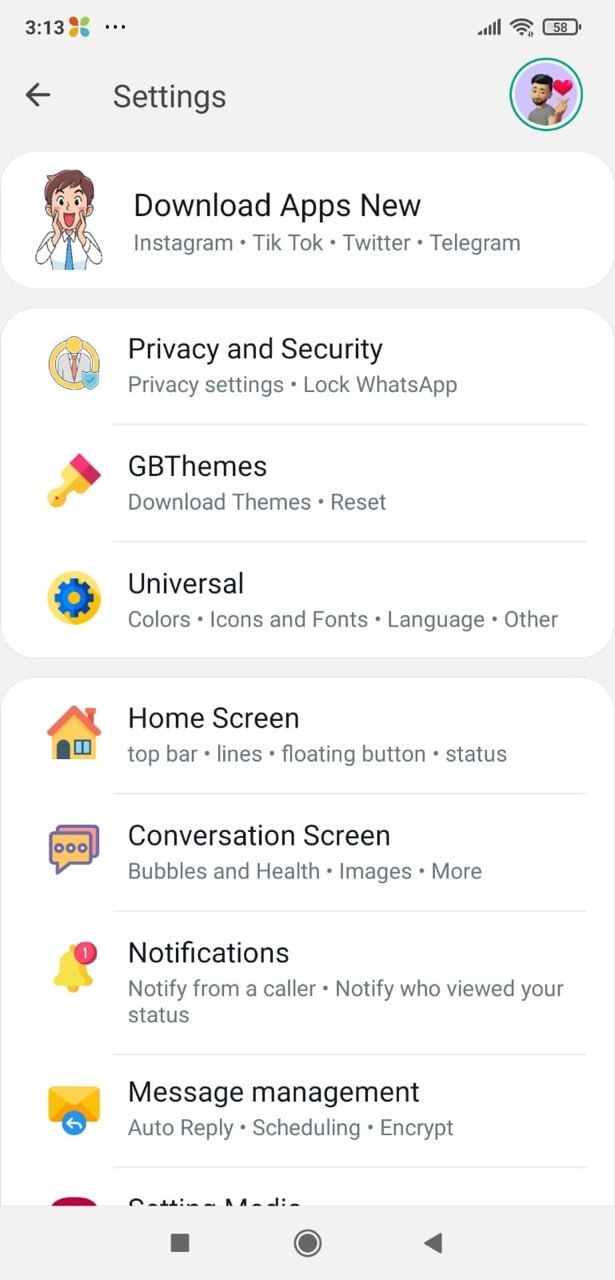
Open GB Settings → Auto-Reply
Three-dot menu → GB Settings → "Auto-Reply" section.
-
Add a new rule
Tap "Add Rule". You'll be asked for: rule name, the auto-reply text, schedule (always / time-window / one-off), and who it applies to (all contacts / specific contacts / specific groups).
-
Set a sensible throttle
Important: change "Reply frequency" to "Once per contact per hour" or longer. Per-message replies look automated and get flagged.
-
Activate the rule
Toggle the rule on. Rules can be paused or deleted from the same screen.
FAQ
Questions about Auto-Reply
Will Auto-Reply send a reply to every single message in a long conversation?
Can I have different rules for different contacts?
Does Auto-Reply work for group chats?
Will Auto-Reply increase my ban risk?
Common mistakes
What people get wrong with Auto-Reply
The most-asked support questions about Auto-Reply come from these three patterns. Worth scanning before you enable.
- 1
Setting "reply to every message" — by the end of a long conversation, the contact has received 20+ identical auto-replies and you look like a bot. Always throttle.
- 2
Forgetting to disable the rule after the use case ends — the "away for the meeting" auto-reply that runs for three weeks because nobody turned it off.
- 3
Using auto-reply for unsolicited outreach. Sending the first message then auto-replying with a sales pitch is exactly what Meta's anti-spam systems target.
More from Messaging
Related messaging features
Message Scheduler
Schedule messages to send at a future date and time — perfect for birthdays, reminders, and timezone differences.
Broadcast Messaging
Send the same message to hundreds of contacts at once — each one receives it as a private chat.
Send 100+ Pictures
Send 100+ images at once instead of the official WhatsApp 30-photo cap.
Useful next
More on Auto-Reply and related topics
Hand-picked guides on how this feature interacts with installation, anti-ban routing, and the rest of GB WhatsApp Pro.
- How-to
Install GB WhatsApp Pro on Android
Safe sideload sequence — enable Unknown Sources, verify SHA-256 hash, first-launch checks.
Read - How-to
Update without losing chats
Safe in-place update procedure from any older build. Backup, install over, verify the upgrade kept your data.
Read - Blog
Anti-Ban Guide 2026
What "anti-ban" actually means at the routing-layer level, which user behaviours actually raise ban risk, and what to do if a ban hits.
Read
Get Auto-Reply (and 24 more features)
Install GB WhatsApp Pro v18.80 from gbwhattspro.com — every feature unlocked from first launch.