
Message Scheduler in GB WhatsApp Pro v18.80
Schedule messages to send at a future date and time — perfect for birthdays, reminders, and timezone differences.
In context
Why people actually use Message Scheduler
Message Scheduler lets you write a message now and have it sent at a specific future time. The use cases are predictable: a birthday wish you do not want to forget, a meeting reminder, a "good morning" for someone in a different timezone, or a follow-up message for a customer you talked to last week. Official WhatsApp has nothing like this — you would normally need a third-party app and granting it access to read your messages. GB WhatsApp Pro's scheduler is built in, so your scheduled messages never leave your device until the send time. You can schedule for individual contacts, groups, or even broadcasts. Once a scheduled message is configured, you can edit it, reschedule, or delete it any time before it sends. After it sends, it appears in your chat exactly as if you had typed it manually at that moment.
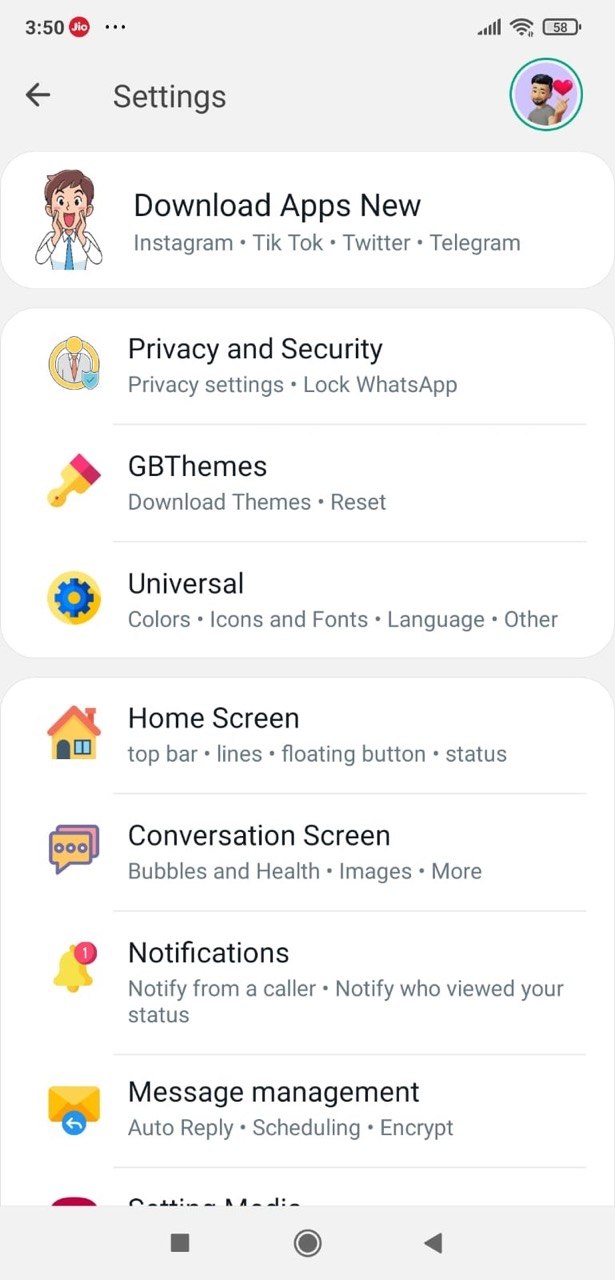
Deep Dive
What Message Scheduler actually does
Compose a message today, schedule it to send next week. GB WhatsApp Pro lets you queue messages for any future date and time, then sends them automatically — no need to remember or open the app. You can also schedule recurring messages (daily, weekly, monthly), which is useful for reminders and team updates.
Key benefits
- Schedule one-off or recurring messages
- Set any date and time
- Works even if you close the app
How to enable
Enable Message Scheduler in 4 steps
Total time: about 30 seconds. Requires GB WhatsApp Pro v18.80 to be installed first. If you have not installed yet, download from the homepage.
-
Open the chat or group
Tap into the conversation where the scheduled message should be sent.
-
Open Message Scheduler
Tap the three-dot menu inside the chat → "Schedule Message" (sometimes "Schedule").
-
Write and pick a time
Type the message, pick the date and time. You can also attach a file or photo to a scheduled message.
-
Confirm
Tap "Schedule". The message appears in a "Scheduled" tab inside the chat menu, with options to edit or delete before send time.
FAQ
Questions about Message Scheduler
What if my phone is offline at the scheduled time?
Does the recipient know it was scheduled?
Can I schedule the same message to multiple contacts?
Can I edit a scheduled message before it sends?
Common mistakes
What people get wrong with Message Scheduler
The most-asked support questions about Message Scheduler come from these three patterns. Worth scanning before you enable.
- 1
Scheduling for the recipient's wrong time-zone. The scheduler uses your device's local clock — if you set "8 AM tomorrow" but the recipient is in another country, the message lands at their 4 AM. Always check timezone differences for international scheduling.
- 2
Forgetting that the message will actually send. Some users schedule a draft as a placeholder and forget. Scheduled messages will go through at the configured time regardless of whether you re-open the chat in between.
More from Messaging
Related messaging features
Auto-Reply
Set automatic replies for when you are busy, sleeping, or away — fully customisable per contact.
Broadcast Messaging
Send the same message to hundreds of contacts at once — each one receives it as a private chat.
Send 100+ Pictures
Send 100+ images at once instead of the official WhatsApp 30-photo cap.
Useful next
More on Message Scheduler and related topics
Hand-picked guides on how this feature interacts with installation, anti-ban routing, and the rest of GB WhatsApp Pro.
- How-to
Install GB WhatsApp Pro on Android
Safe sideload sequence — enable Unknown Sources, verify SHA-256 hash, first-launch checks.
Read - How-to
Update without losing chats
Safe in-place update procedure from any older build. Backup, install over, verify the upgrade kept your data.
Read - Blog
Anti-Ban Guide 2026
What "anti-ban" actually means at the routing-layer level, which user behaviours actually raise ban risk, and what to do if a ban hits.
Read
Get Message Scheduler (and 24 more features)
Install GB WhatsApp Pro v18.80 from gbwhattspro.com — every feature unlocked from first launch.