
Dual / Multi-Account in GB WhatsApp Pro v18.80
Run two WhatsApp numbers side by side — install GB WhatsApp Pro alongside the official app.
In context
Why people actually use Dual / Multi-Account
Dual / Multi-Account support lets you run two separate WhatsApp accounts on the same Android phone — your personal number and a work number, or a primary number and a separate one for groups you do not want mixed in. Official WhatsApp now offers this via its "Linked Devices" feature in 2024+ but only as a companion mode for the same account, not two separate accounts. To genuinely run two accounts you would normally need two phones, a dual-SIM phone with two physical SIMs and the WhatsApp Business app, or a third-party "parallel space" app that has its own security and privacy questions. GB WhatsApp Pro installs as a separate app package (com.gbwhatsapp.pro) from official WhatsApp (com.whatsapp), so both can coexist with completely independent chat histories, contacts, and notification rules. You can also install GB WhatsApp on top of GB WhatsApp Pro for a three-account setup if you really need it.
Deep Dive
What Dual / Multi-Account actually does
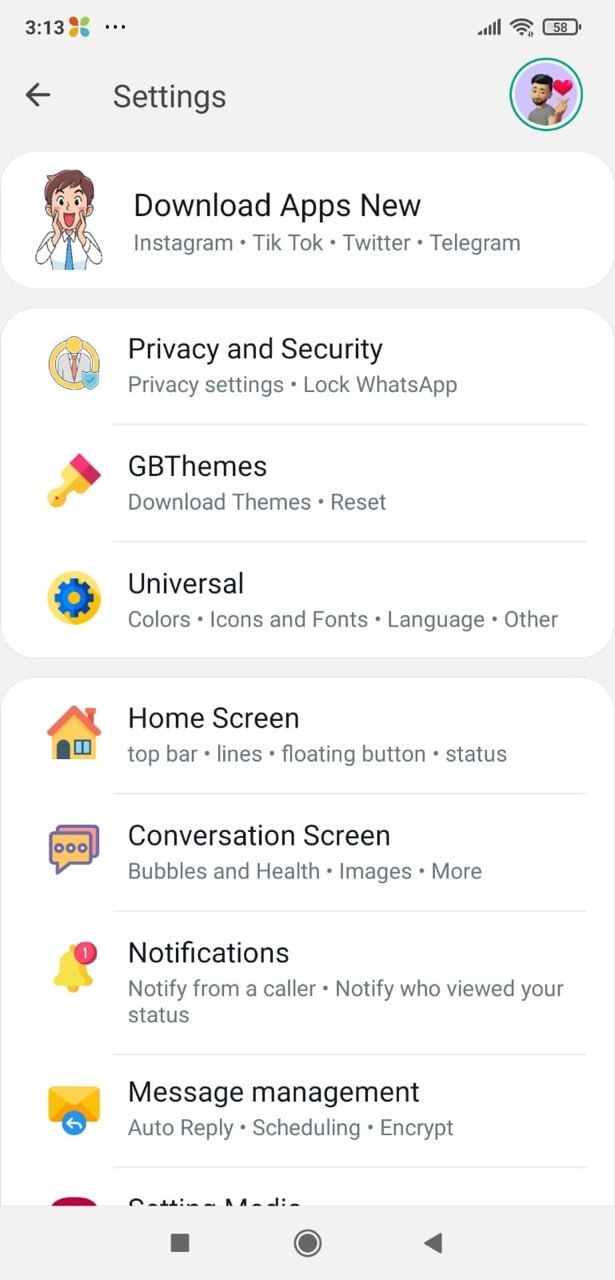
GB WhatsApp Pro installs as a separate app so you can run a second number alongside your official WhatsApp account. Both apps work independently with their own chats, statuses and contacts — perfect for separating personal and work numbers without carrying two phones.
Key benefits
- Two numbers on one phone
- Works alongside official WhatsApp
- Independent chats, statuses and notifications
How to enable
Enable Dual / Multi-Account in 4 steps
Total time: about 30 seconds. Requires GB WhatsApp Pro v18.80 to be installed first. If you have not installed yet, download from the homepage.
-
Install both apps
Have official WhatsApp installed first (from Play Store). Install GB WhatsApp Pro from this site. The two apps appear as separate icons on your home screen with different colour schemes.
-
Open GB WhatsApp Pro
On first launch, GB WhatsApp Pro will ask for your phone number. Use a different number from the one in official WhatsApp.
-
Verify the second number
Enter the SMS verification code from the second SIM. If you only have one SIM but two virtual numbers (e.g. Google Voice), use the call verification option.
-
Configure each independently
Each app has its own notification settings, theme, contact list, and chat history. There is no automatic sync — the two accounts are entirely separate.
FAQ
Questions about Dual / Multi-Account
Can I use the same number on both apps?
Do the two apps share contacts?
Will notifications overlap?
Can I install three accounts?
Common mistakes
What people get wrong with Dual / Multi-Account
The most-asked support questions about Dual / Multi-Account come from these three patterns. Worth scanning before you enable.
- 1
Verifying your main number in GB WhatsApp Pro by mistake — this kicks the same number out of official WhatsApp. If this happens, re-verify in official WhatsApp to get it back; GB WhatsApp Pro will then ask for a different number.
- 2
Sharing the same contact on both apps and not realising they will get two different messages from you. Always check which app is open before sending a sensitive message.
Useful next
More on Dual / Multi-Account and related topics
Hand-picked guides on how this feature interacts with installation, anti-ban routing, and the rest of GB WhatsApp Pro.
- How-to
Install GB WhatsApp Pro on Android
Safe sideload sequence — enable Unknown Sources, verify SHA-256 hash, first-launch checks.
Read - How-to
Update without losing chats
Safe in-place update procedure from any older build. Backup, install over, verify the upgrade kept your data.
Read - Blog
Anti-Ban Guide 2026
What "anti-ban" actually means at the routing-layer level, which user behaviours actually raise ban risk, and what to do if a ban hits.
Read
Get Dual / Multi-Account (and 24 more features)
Install GB WhatsApp Pro v18.80 from gbwhattspro.com — every feature unlocked from first launch.