
Hide Online Status in GB WhatsApp Pro v18.80
Stay invisible while chatting — nobody sees the "online" badge under your name.
In context
Why people actually use Hide Online Status
Official WhatsApp shows an "online" badge the moment you open the app. Hide Online Status disables that badge entirely — your name appears with no green dot regardless of whether you are actively chatting. The use cases are mostly social: avoiding the "I see you online but you are not replying to me" conversation, replying to one person without alerting every other contact that you are around, or just using WhatsApp without broadcasting your attention. Compared to the official client's limited "Hide Last Seen" toggle, the GB WhatsApp Pro version covers both last seen and the live online indicator together, with no expiry. Note that this is different from Ghost Mode — Hide Online Status is permanent until you turn it off, while Ghost Mode is meant for one-off "I am about to open WhatsApp without being visible" moments.
Deep Dive
What Hide Online Status actually does
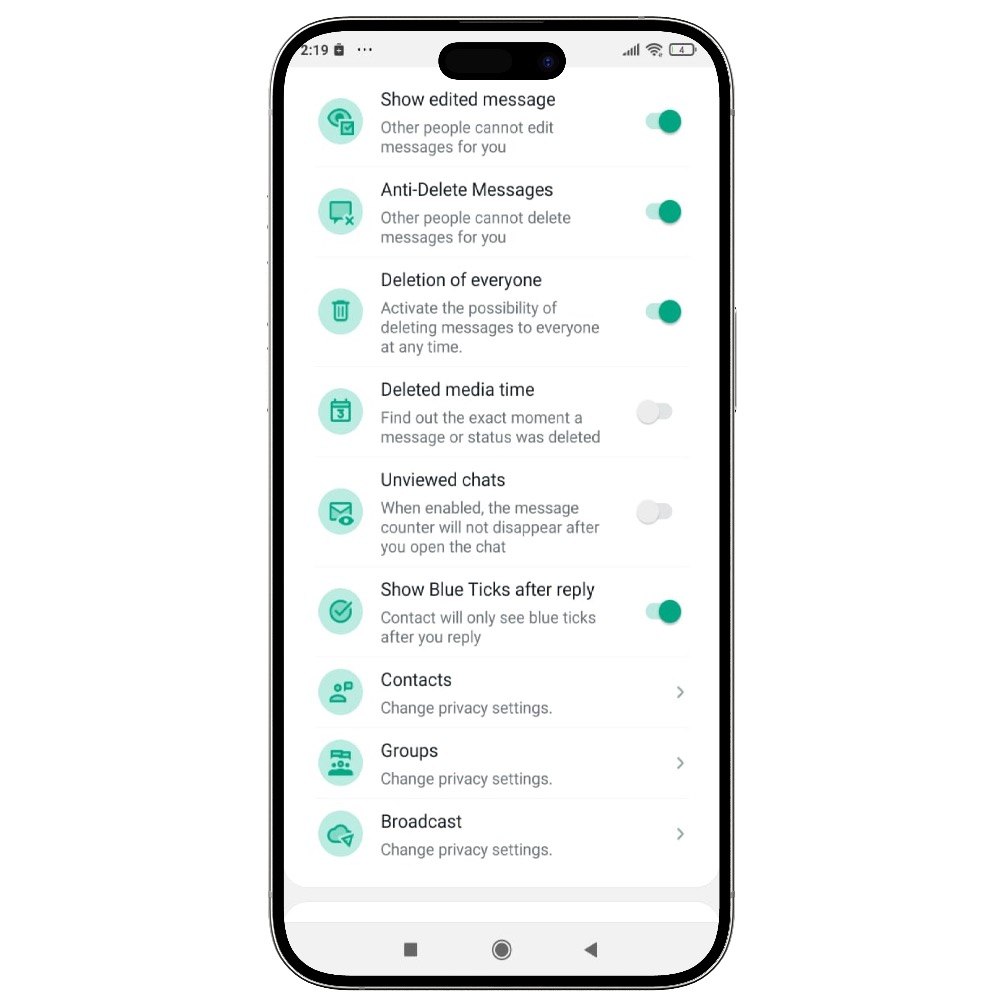
Official WhatsApp shows "online" the moment you open the app. GB WhatsApp Pro lets you fully disable this signal so that contacts see no online status under your name, even when you are actively chatting. This is one of the most-requested privacy features and a major reason users switch to GB WhatsApp Pro.
Key benefits
- Chat freely without showing online
- Works in both one-on-one and group chats
- Combine with hide last seen for full stealth
How to enable
Enable Hide Online Status in 3 steps
Total time: about 30 seconds. Requires GB WhatsApp Pro v18.80 to be installed first. If you have not installed yet, download from the homepage.
-
Open GB Settings
Tap the three-dot menu in GB WhatsApp Pro → GB Settings (sometimes "GBSettings").
-
Go to Privacy → Online
Open the Privacy section, then the Online sub-section. The "Hide Online" toggle is at the top.
-
Enable the toggle
Tap once to turn it on. The change applies instantly — contacts will stop seeing your "online" badge from the next moment.
FAQ
Questions about Hide Online Status
Does Hide Online Status also hide my last seen?
Can people see I am typing if Hide Online is on?
Will my own chats show me as online?
Common mistakes
What people get wrong with Hide Online Status
The most-asked support questions about Hide Online Status come from these three patterns. Worth scanning before you enable.
- 1
Toggling Hide Online repeatedly during a conversation, which creates a noticeable pattern. If you want to be hidden some of the time, use Ghost Mode instead — it is designed for situational use.
- 2
Assuming Hide Online blocks read receipts too. It does not — blue ticks are controlled by the "Read Receipts" toggle separately.
More from Privacy
Related privacy features
Ghost Mode
Become completely invisible — others see no online status, typing or recording indicators, and no read receipts.
Freeze Last Seen
Freeze your last seen timestamp so others always see an old time, even when you are using the app.
Hide Blue Ticks
Read messages without sending the second blue tick — even after replying.
Useful next
More on Hide Online Status and related topics
Hand-picked guides on how this feature interacts with installation, anti-ban routing, and the rest of GB WhatsApp Pro.
- How-to
Install GB WhatsApp Pro on Android
Safe sideload sequence — enable Unknown Sources, verify SHA-256 hash, first-launch checks.
Read - How-to
Update without losing chats
Safe in-place update procedure from any older build. Backup, install over, verify the upgrade kept your data.
Read - Blog
Anti-Ban Guide 2026
What "anti-ban" actually means at the routing-layer level, which user behaviours actually raise ban risk, and what to do if a ban hits.
Read
Get Hide Online Status (and 24 more features)
Install GB WhatsApp Pro v18.80 from gbwhattspro.com — every feature unlocked from first launch.